Clabrate keeps a local record of what you dictate and ask, and turns it into a few useful numbers on the Home page. All of it lives on your Mac, and you’re in control of it.
History
Your dictation and assistant history is stored in a local database on your machine — never uploaded. In Settings → Privacy & permissions you can:
- Toggle history on or off. With it off, Clabrate stops keeping a record.
- Delete individual entries.
- Clear everything in one action.
Local only: History never leaves your Mac, and the Home metrics are computed locally from it — nothing is sent away to produce them. See Privacy & your data.
Home insights
The Home page turns your local history into privacy-first insights — things like how much you’ve dictated and trends over time. Because these are derived live from your history, deleting entries updates the numbers (delete a dictation and your counts adjust accordingly).
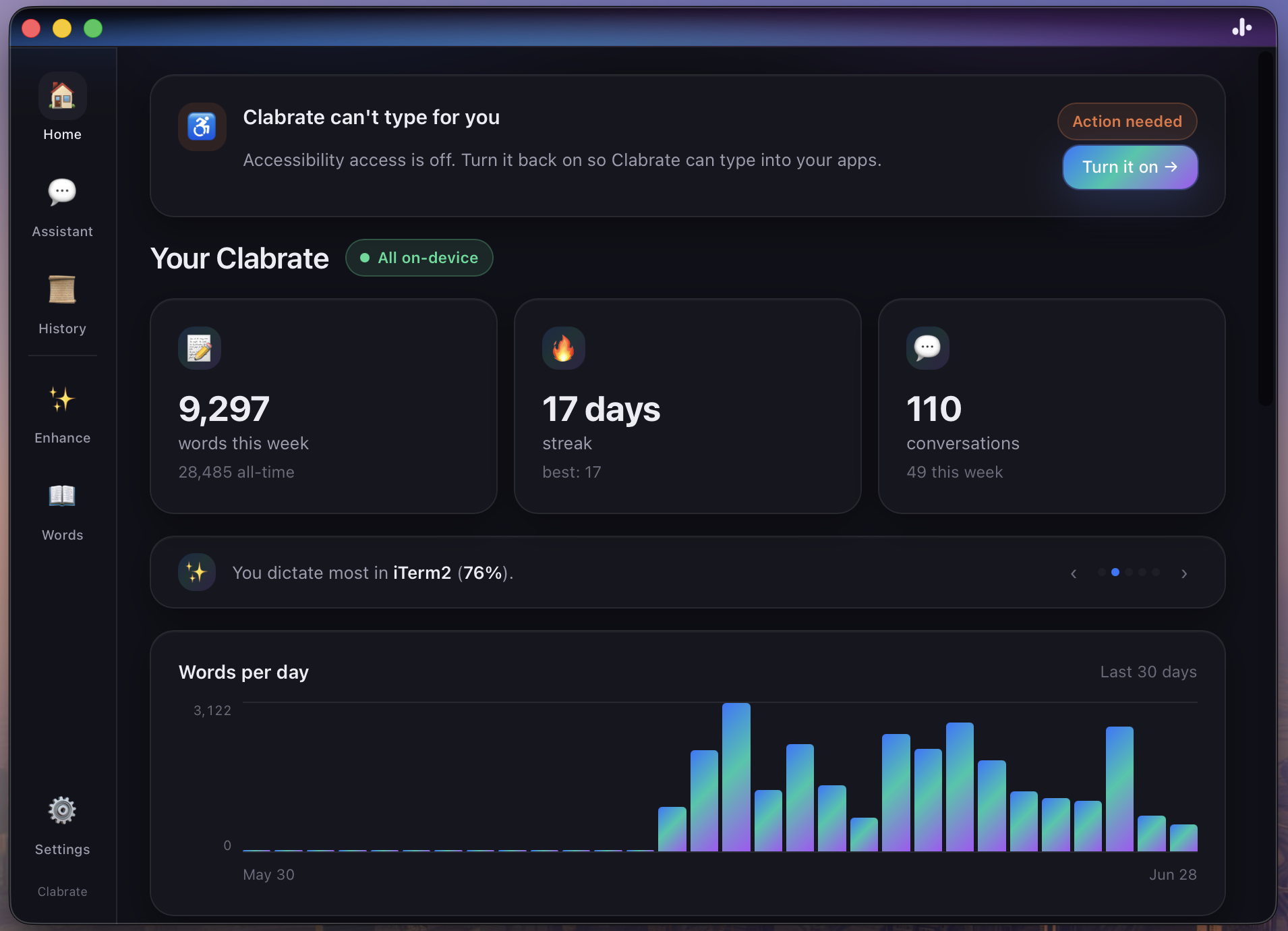 Screenshot pending: home-insights.png
Common questions
Is my history uploaded anywhere? No. It’s a local database, and the insights are computed locally.
If I delete history, do the metrics change? Yes — insights derive live from history, so deletions are reflected in the counts.
Can I run with no history at all? Yes — toggle history off in Settings → Privacy & permissions.
Troubleshooting
- My numbers look off after deleting. That’s expected — metrics recompute from whatever history remains.
- I want a clean slate. Use Clear everything in Settings → Privacy & permissions.